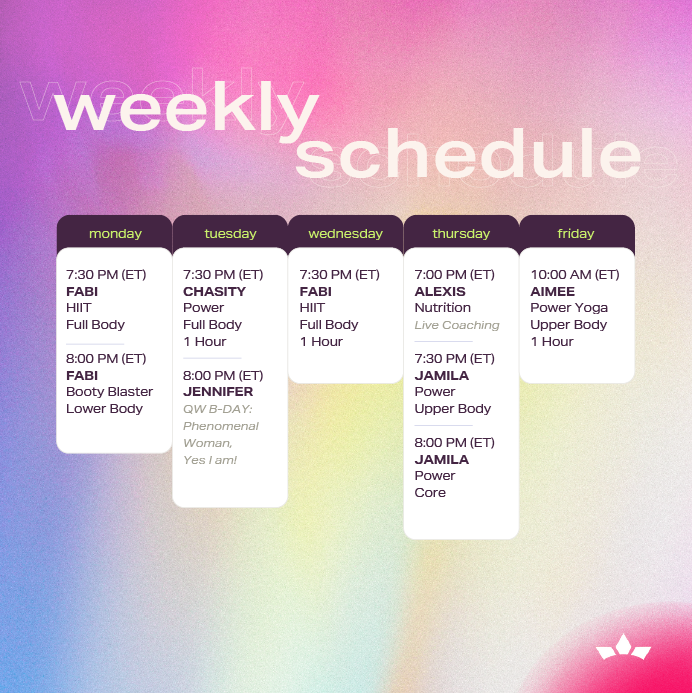
Hello Queen! Thank you so much for reaching out, and we’re happy to help you navigate everything! Looking at the screenshot you sent, that’s the “Daily Schedule” section, which works more like a calendar showing details for upcoming live classes. It doesn’t provide replay access. To watch replays of completed classes, this is the section you want to go to: 👉 Latest Replays Below isa screenshot to help you locate the Latest Replay section in your QW app. This is the only section you need to visit when you’ve missed a live workout and want to catch the replay! As for the workouts: Yes, while each class is scheduled for 1 hour, they’re typically broken into two 30-minute segments — one focusing on lower body and the other on upper body, giving you a complete full-body workout. For further guidance, you can always check the description of each workout. Our team updates them with details on the class focus and the type of equipment you’ll need.
Replied on (04/20/26) Monday
05 May 23:19
Hello Queen, Kiana Lee-Harper Thank you for reaching out, and we’re so sorry to hear you’re experiencing this! Please know that all live classes and programs should absolutely be available to you as part of your membership. It sounds like you might be viewing the incorrect section of your QW app. To access all the most recent live class replays, simply open your QW app and scroll down slightly until you reach the section labeled “Latest Replay.” That’s where all the recent videos are located. To save you time, here’s the direct link to access that section right away: 👉 Latest Replays If you’re still unable to access the videos or if anything continues to look off, please don’t hesitate to email us directly at info@queenwarriors.com — we’re here to make sure everything works smoothly for you.